For those who received a freee integration link
Overview
This page is for those who received a link. An accounting firm or company that uses EntrySnap has sent you a link to allow integration with freee Accounting (freee 会計). In freee Accounting, only members with administrator permission can allow integration with external apps, so we ask you, as the administrator, to complete this step. You do not need to register or log in to EntrySnap.
freee screens are shown in Japanese only. In the steps below, button and screen names are shown in Japanese with their English meaning in parentheses.
Allow integration
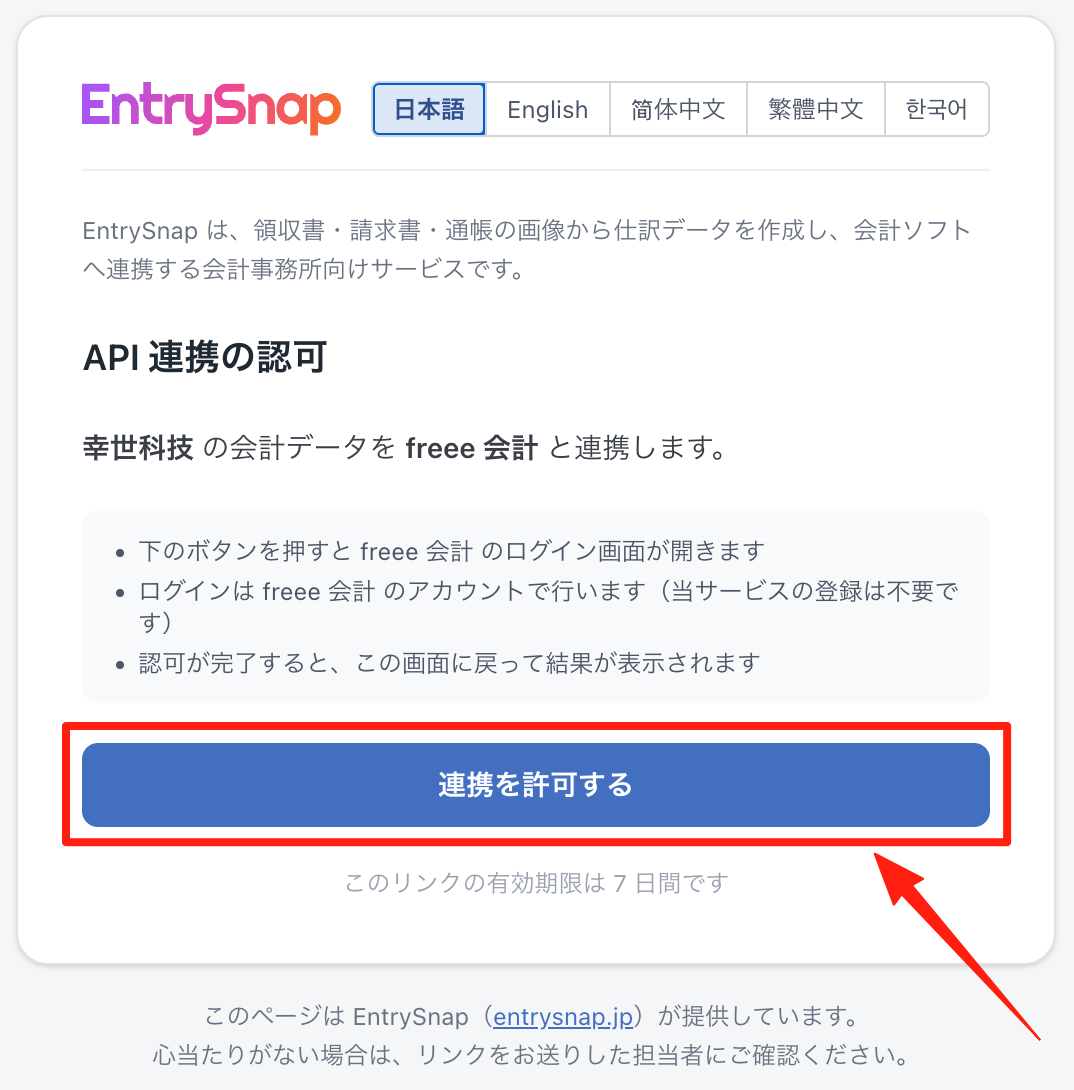
1. Open the link you received to display the authorization page. Check the company name and service name to be connected, then click “Allow integration”.
2. If the freee login page appears, log in with an account that has administrator permission. If you are already logged in, this step is skipped.
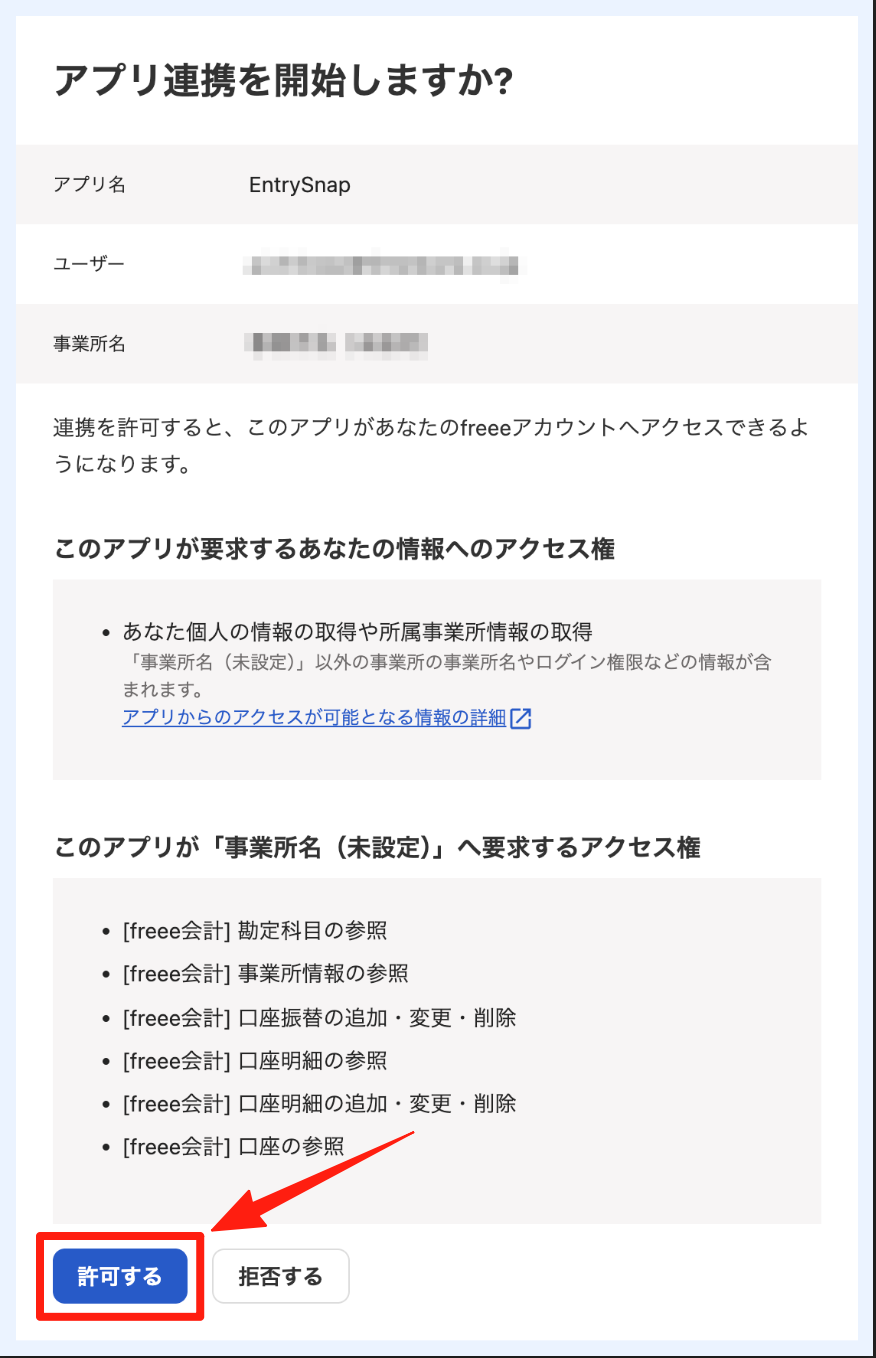
3. On the 「アプリ連携を開始しますか?」 (Start app integration?) page, confirm that the app name is “EntrySnap” and that the business name (事業所名) is the business to connect, then click 「許可する」 (Allow).
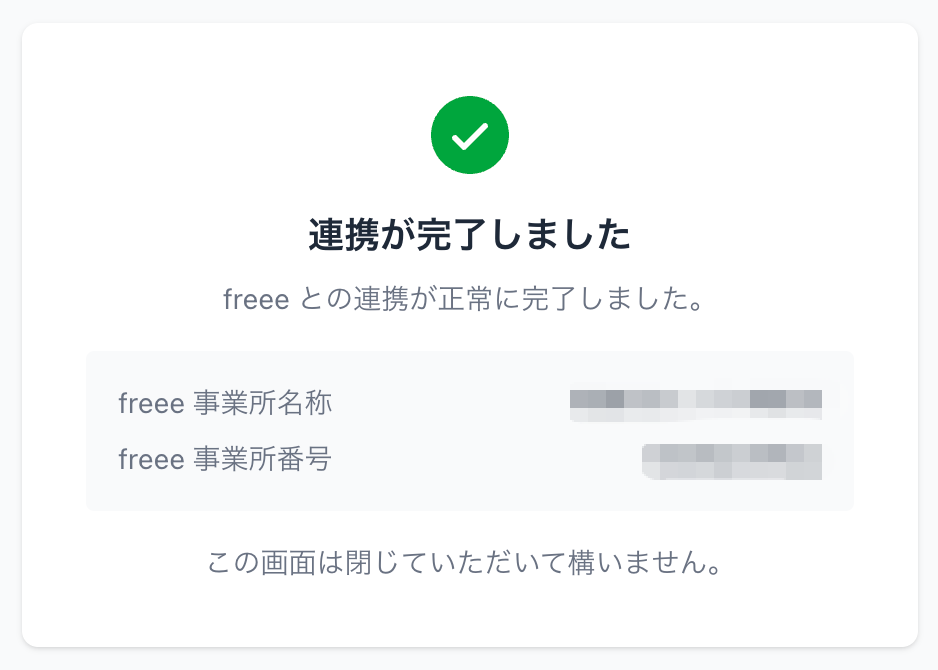
4. When the 「連携が完了しました」 (Integration completed) page appears, you are done. You can close this page. Please let the person who sent you the link know that the integration is complete.
If an error appears
If 「アクセス権限がありません。」 (You do not have access permission) appears
This error is returned by freee Accounting. The freee account you logged in with does not have administrator permission for that business.
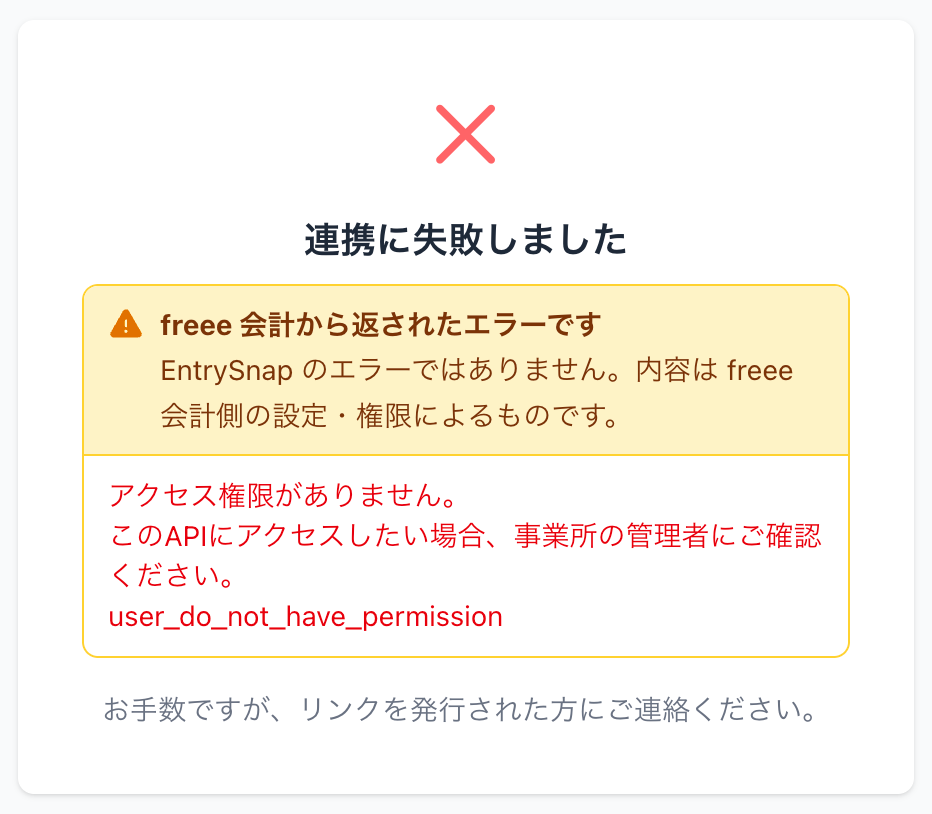
- If you have another account with administrator permission, log in again with that account and open the link again.
- If you do not have an account with administrator permission, ask the administrator of the business to open this link and allow the integration. Alternatively, ask the administrator to give your account administrator permission, then open the link again.
If 「別の freee 事業所とは連携できません」 (Cannot connect to a different freee business) appears
This error is returned by EntrySnap. The EntrySnap account of the person who sent you the link was previously connected to a different freee business, and can only be connected to that business.
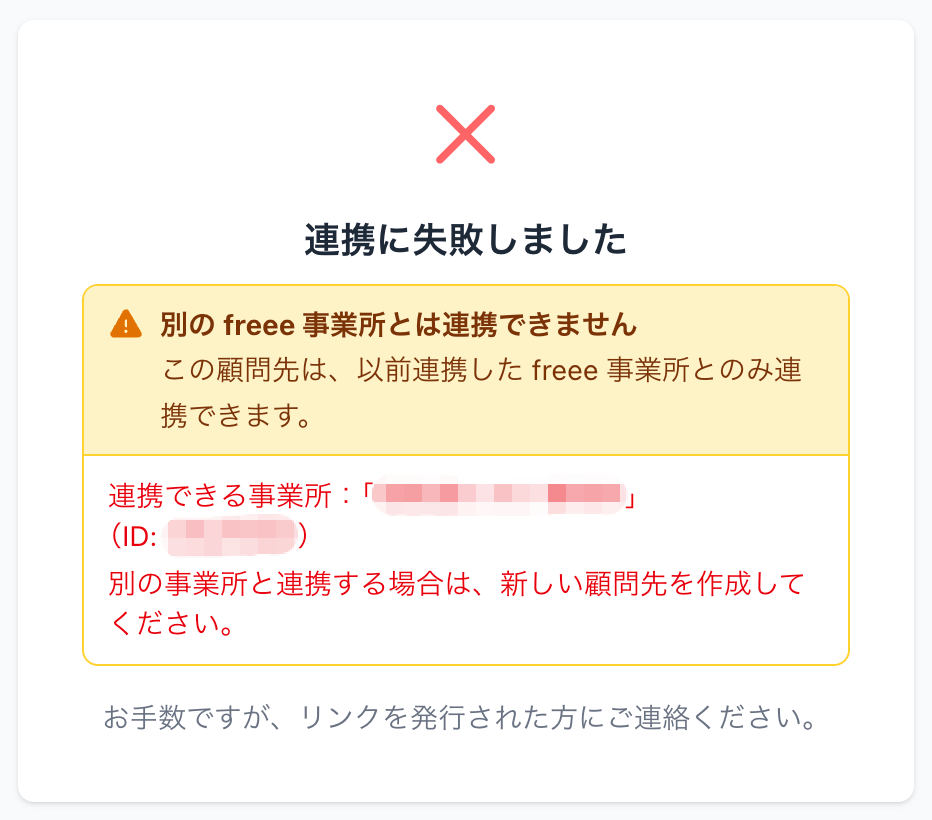
- To connect the business shown in 「連携できる事業所」 (Business that can be connected), open the link again and allow the integration with that business.
- To connect a different business, please contact the person who sent you the link.
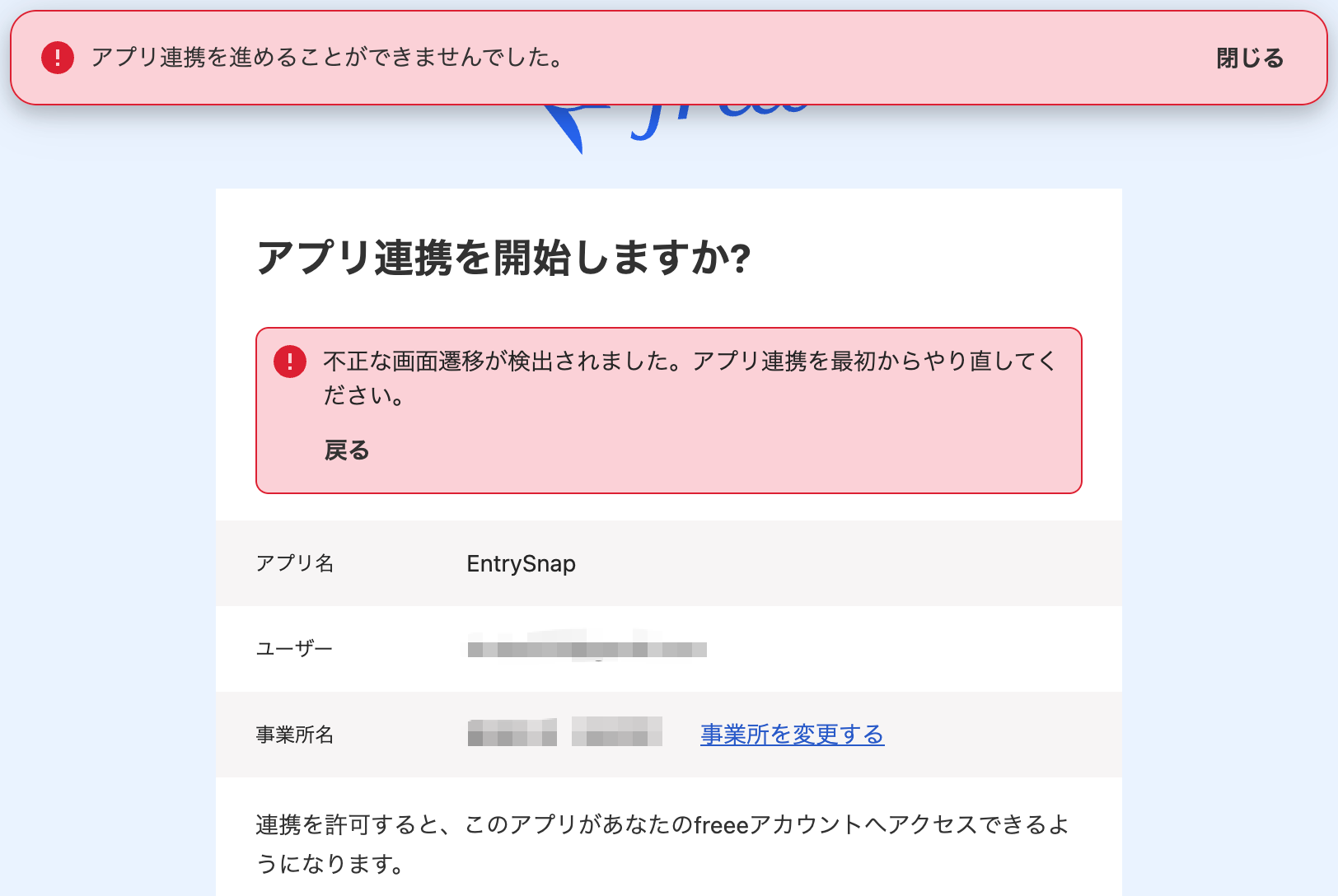
If 「不正な画面遷移が検出されました。」 (An invalid page transition was detected) appears
This error is returned by freee Accounting. It appears when you move back and forth between pages, for example with the browser’s Back button. Open the link you received again and start over.